
Stop watching the parts that don't matter.
Skip the Fluff reads every YouTube video before you do, colour-codes the timeline, and skips the intros, sponsor reads and filler — so you only watch what's worth your time.
Live on the Chrome Web Store, with 5 free videos every month
A 20-minute video. 6 minutes that matter. Now you can see which six.
The moment a video opens, Skip the Fluff paints its progress bar. Green is the good part. Amber is an ad read. Grey is the "don't forget to subscribe" stuff. Turn on auto-skip and it jumps the rest for you.
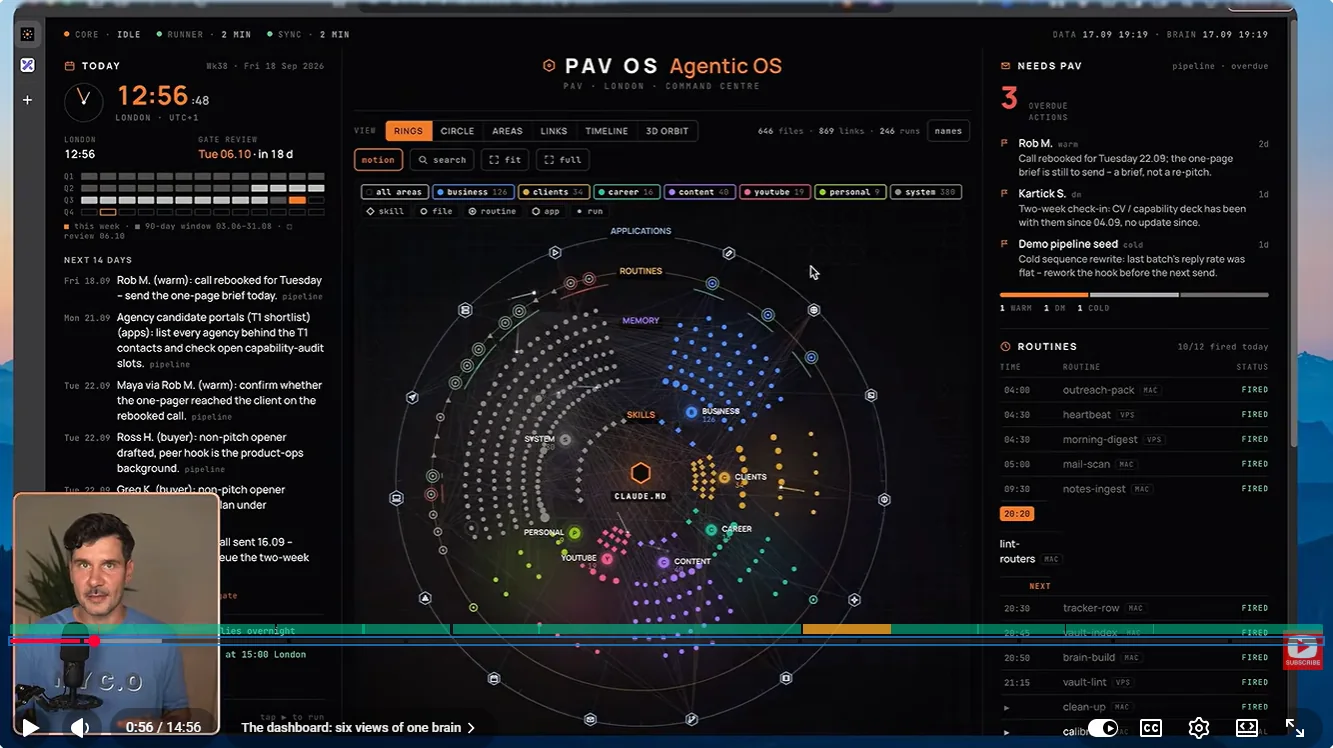
Decide faster. Skip what you personally don't care about.
Two new features, both running on the same AI read of the transcript that powers your timeline.
AI video summary
Know what a YouTube video covers before you press play.
A short summary now sits at the top of the sidebar: a few plain bullets on what the video actually covers, where the sponsor segment is, and an honest heads-up when the title promises more than the video delivers.
- 3–5 specific bullets, never generic praise
- Calls out sponsor segments up front
- Flags titles that oversell the content
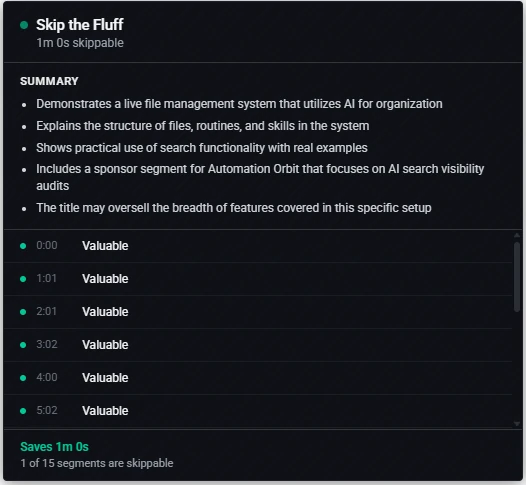 Summary in seconds
Flags oversold titles
Summary in seconds
Flags oversold titles
Custom skip rules
Tell it what bores you, in your own words.
Not everyone's fluff is the same. Add rules like "skip personal stories" or "skip recaps of the last episode". Save up to five and they apply to every video. Matching parts turn violet on your timeline, and auto-skip jumps them just like a sponsor read.
- Plain-English rules, no settings to learn
- Up to 5 saved rules, remove any with one click
- Real ad reads always stay marked as sponsor
Preview only. In the extension, the AI finds the parts of each video that match your rules.
Three steps. You don't do any of them.
- 1
It reads the transcript
The moment you open a video, Skip the Fluff reads what's actually being said. No waiting, no extra clicks.
- 2
It sorts every segment
AI labels each part as worth watching, sponsor, intro, outro, filler or something you asked to skip, right on the progress bar.
- 3
It skips what you don't need
Turn on auto-skip and watch only the good parts. Or read the summary and jump exactly where you want.
Everything it does on YouTube
Colour-coded timeline
See sponsor reads, intros and the parts worth your time before you press play.
Auto-skip
Let it jump the fluff automatically. You watch, it drives.
AI summary and custom rules
Know what a video covers up front, and skip the things only you find boring.
Works without captions
No transcript? It falls back to the video's chapter markers so you can still move fast.
Knows a song when it hears one
On music videos it steps aside instead of calling your favourite chorus "filler". One click analyses it anyway.
Your data stays yours
Nothing is tracked, sold or stored beyond what's needed to skip fluff.
Free to start. Unlimited if you need more.
- 5 AI-analysed videos / month
- AI summaries and custom skip rules
- Unlimited chapter navigation
- Or add your own OpenAI key for unlimited use
- Unlimited AI analysis
- Auto-skip on every video
- Priority processing
Be first when Pro launches.
We'll email you once unlimited access is ready. No spam, just one message.